
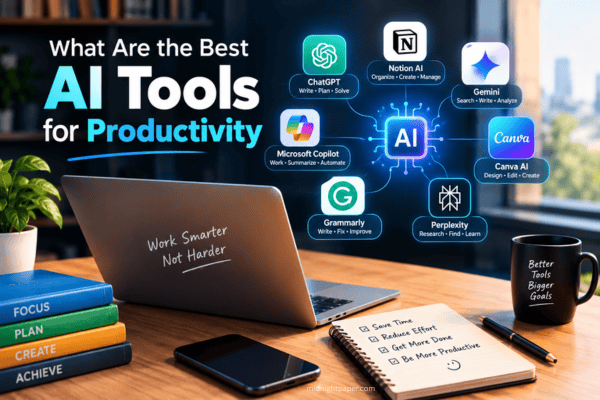
Most of us have a heavy workload but very little time. Emails pile up, meetings drag on, and routine tasks consume half the day.
This is where AI tools can help. They can draft initial documents, take meeting notes, organize your tasks, and find answers in seconds.
However, there are hundreds of tools on the market. Which ones are actually useful?
In this guide, you will know what are the best AI tools for productivity, discover which ones excel at specific tasks, and find out how to choose the right one for your work, all explained in simple, straightforward language.
What Are AI Productivity Tools?
AI-powered productivity tools are apps that use artificial intelligence to help you complete tasks faster.
They do not replace you. They handle slow and tedious tasks, allowing you to focus on work that requires your intellect.
Here are such things they can do:
- Drafting and editing text
- Summarizing long documents
- Taking meeting notes
- Planning the day
- Automating small, repetitive tasks
- Finding and organizing information
Think of them as a helper who never gets tired.
Why Use AI Tools for Productivity?
You might be wondering whether these tools are actually useful. For most people, the answer is yes. The reasons are given below.
They save time on repeated work: Many tasks are repetitive week after week. Writing status updates, replying to routine emails, and copying data within an app are good examples of this. AI can perform most of these tasks in a matter of seconds.
They help you get started: Facing a blank page is difficult. AI can provide you with an initial draft, an outline or a list of ideas; you can then enhance it with your own insights.
They reduce mental load: When a tool reminds, organizes and alerts you, your mind is free to focus. This reduces stress and ensures fewer small details are overlooked.
They work for almost any job: Students, writers, managers, designers, developers and small business owners can all use these. You do not need to be a technology expert to do so.
The Best AI Tools for Productivity: Below is a list of popular tools, categorized by their primary functions. Features and plans change frequently, so always check each tool’s website for the latest details and pricing.
Best AI Assistants for Everyday Work
These are simple chatbots. You type a request and they respond to it. These are the best way to get started.
ChatGPT:
ChatGPT, developed by OpenAI, is one of the world’s most popular AI assistants. You can ask it to write, explain, brainstorm, translate or plan.
Useful for: writing emails, brainstorming, explaining complex topics and getting quick assistance with research.
Tip: Be specific. Instead of saying “Write an email,” say, “Write a polite email to my boss requesting a two-day extension on the deadline.”
Claude:
Claude, developed by Anthropic, is an AI assistant known for its clear writing and ability to process large documents. You can upload a report and ask it to summarize key points or locate specific details.
Useful for: writing, editing, reading large files and conducting in depth analysis.
Tip: Paste your own notes and ask Claude to turn them into a concise summary or a to do list.
Google Gemini:
Gemini is Google’s AI assistant. It integrates with various Google products, making it highly convenient if you already use Gmail, Docs, Drive or Calendar.
Useful for: Those who live within the Google ecosystem.
Microsoft Copilot:
Depending on your plan, Microsoft Copilot integrates with Microsoft applications such as Word, Excel, PowerPoint, Outlook and Teams. It can help you draft documents, interpret data, and summarize email threads.
Useful for: Office workers and teams already using Microsoft 365.
Best AI Tools for Research and Learning
Finding good information takes time. These tools make it faster.
Perplexity:
Perplexity functions as a combination of a search engine and a chatbot. You ask a question, and the tool provides a direct answer along with links to the sources.
Useful for: Quick research where you want to verify the sources of information.
Tip: Always open the source links; this is a good practice when using any AI tool.
NotebookLM:
NotebookLM is a Google tool that allows you to upload your own documents such as PDFs, notes, or links—and then answers questions based on that specific content.
Useful for: Students, researchers, and anyone who needs to study or understand large volumes of documents.
It is effective because the answers are derived from the material you provided, rather than from the entire internet.
Best AI Tools for Writing and Editing
Good writing takes time. These tools help you write clearly and fix mistakes.
Grammarly:
Grammarly checks your spelling, grammar, and writing style as you type. Its AI features can also help rewrite sentences, refine your writing style, and assist in drafting content.
Useful for: emails, reports, social media posts, and any writing that requires a polished finish.
Notion AI:
Notion is a workspace for notes, tasks, and projects. Notion AI adds writing assistance, summaries, and answers to questions directly into your notes and documents.
Useful for: Those who keep their notes, plans, and projects organized in one place.
Best AI Tools for Meetings
Meetings are time-consuming. Taking notes during a meeting takes even more time. These tools can handle that task for you.
Otter.ai:
Otter.ai records meetings, converts speech to text, and generates summaries. You can search the transcript later to find out what was said.
Useful for: interviews, classes, and team calls.
Fireflies.ai:
Fireflies joins your online meetings, takes notes, and captures action items. It is compatible with many popular meeting apps.
Useful for: Teams that want easily accessible meeting logs.
Important: Always inform participants when recording a meeting. In many cases, you will need their permission.
Best AI Tools for Planning and Task Management
A good plan saves hours. These tools help you organize your day.
Motion:
Motion is a planner that uses artificial intelligence to organize your tasks and meetings in your calendar. If your plans change, it can automatically reschedule your activities for you.
It is ideal for those with busy schedules, a high volume of tasks, and shifting deadlines.
Reclaim.ai:
Reclaim schedules time in your calendar for tasks that require focus, as well as for routines and breaks. It automatically adjusts whenever new meetings are added.
Useful for: Those who struggle to find quiet time to complete important tasks.
Best AI Tools for Automation
Zapier:
Zapier connects thousands of apps. You can create simple workflows based on the ‘if this happens, then do that’ principle. For example: when a form is filled out, a row is added to a spreadsheet and a message is sent via Slack.
Zapier also includes AI features that help you build these workflows simply by describing what you want to achieve.
Useful for: Small businesses and anyone tired of repetitive copy-pasting.
Best AI Tools for Design and Presentations
Making slides and graphics can eat up hours. AI can speed things up.
Canva:
Canva is a highly popular design tool. Its AI-powered features help you create images, resize designs, write text, and build presentations—all through a few simple prompts.
Useful for: Social media posts, brochures, and general graphics, even if you have no prior design experience.
Gamma:
Gamma helps you create slide decks, documents, and web pages from a brief description. You can then edit the results.
Useful for: Quick presentations or when you need a strong starting point.
Best AI Tools for Coding
If you write code, AI can act like a helpful pair programmer.
GitHub Copilot:
GitHub Copilot provides suggestions while you write code, explains what the code does, and helps identify errors. It works within popular code editors.
Useful for: Developers who want to code faster and reduce repetitive tasks.
Other AI coding tools exist too and many developers also use AI chatbots for debugging help.
Quick Comparison Table

| TOOLS | BEST FOR |
|---|---|
| ChatGPT | General writing and brainstorming |
| Claude | Long documents and clear writing |
| Google Gemini | Google app users |
| Microsoft Copilot | Microsoft 365 users |
| Perplexity | Research with sources |
| NotebookLM | Studying your own files |
| Grammarly | Editing and tone |
| Notion AI | Notes and projects |
| Otter.ai / Fireflies | Meeting notes |
| Motion / Reclaim | Calendar planning |
| Zapier | Automation |
| Canva / Gamma | Design and slides |
| GitHub Copilot | Coding help |
How to Choose the Right AI Tool

You do not need all these tools. In fact, using too many can slow down your work. Here is a simple way to make your choices.
Start with the task that consumes the most time. Ask yourself, “Which task takes up a significant amount of my time each week?” It could be writing emails or taking notes during meetings. Choose a tool that addresses that specific problem.
Review what you are already using. If your company uses Microsoft 365 or Google Workspace, start by trying out their built-in AI features. These often integrate seamlessly into your daily workflows.
Try the free version first. Many tools offer a free plan or a free trial. Give them a try before making a payment. Plans and limitations are subject to change, so be sure to check the current details on each website.
Keep privacy in mind. Be cautious with personal information. Do not paste passwords, sensitive customer information, or confidential company data into any tool without first understanding how it handles your data. Read the privacy policy and adhere to your workplace’s rules and regulations.
Keep It Simple. Start with one or two tools. Learn them well. Add more only when you need them.
Tips to Get the Best Results From AI Tools
Even the best tool will yield only mediocre results if not used correctly. Follow these tips:
Provide clear instructions. Specify who the content is for, the tone you desire, and the intended length. The more detailed the information you provide, the better the outcome will be.
Share examples. If you have a specific style in mind, provide a brief example and ask the tool to “write in a similar style.”
Request revisions. The initial output does not have to be the final version. You can ask for adjustments, such as “make it shorter,” “use simpler language,” or “add a more personal touch.”
Always verify the data. AI can make mistakes, sometimes presenting incorrect information with complete confidence. Always double-check names, figures, dates, and quotes before sharing any content.
Add your own voice. AI provides a starting point. It is your experience, your opinions, and your personal touch that truly make the work your own.
Common Mistakes to Avoid
Trust every answer. Always verify important information.Use vague instructions. Brief, ambiguous requests do not yield good results.Share personal information. Keep confidential information away from public tools.Use excessive tools. Using too many applications can lead to further confusion.Copy without editing. AI-generated text often sounds monotonous; be sure to edit it.
Will AI Replace Your Job?
This is a common concern. The truth is, no one can predict the future with complete accuracy.
What we see today is that AI is quite effective at handling repetitive and structured tasks. However, it struggles significantly in areas that require judgment, trust, creativity, or an understanding of human beings.
Many experts point out that those who learn to use AI effectively will have a competitive edge. Therefore, regardless of what your job may be, learning to use these tools is a wise move.
A Simple Daily Routine Using AI Tools
Here is an example of how an individual might use these tools during a typical workday:
- In the morning: Use a planning tool such as Motion or Reclaim to organize tasks and schedule time for specific activities.
- Midday: Use an AI assistant to draft emails and summarize a long report.
- During meetings: Use a note-taking tool to record and summarize the topics discussed.
- In the afternoon: Use a design tool to quickly prepare a presentation for the following day.
- At the end of the day: Use automation to sync updates and transfer data across various applications.
Saving just 30 minutes each day adds up to several hours over the course of a month.
Final Thoughts
So, what are the best AI tools for boosting productivity? The answer depends on what you do.
For most people, it’s a good idea to start with a general AI assistant like ChatGPT, Claude, Gemini, or Copilot. From there, you can add tools tailored to your specific needs, whether that involves taking notes during meetings, planning, conducting research, or automating tasks.
Remember a few key points:
- Start on a small scale, using only one or two tools.
- Keep your instructions clear.
- Verify information before trusting it.
- Keep personal information secure.
- Maintain your own unique touch and judgment in the final product.
AI won’t do all your work for you. But if you use it wisely, it can help you save time, reduce stress, and work more effectively.
Choose a tool from this list today and try using it for a real-world task. You’ll be surprised at how much easier your day becomes.
Frequently Asked Questions
Are AI productivity tools free?
Many offer free plans with certain limitations. Paid plans typically include more features and allow for greater usage. Check the website of each tool for current pricing.
Are AI tools safe to use at work?
That may be possible, but it depends on the tools and your company’s policies. Refrain from sharing confidential information without knowing how it is stored and used.
How do I avoid wrong answers from AI?
Ask for sources when possible, double check key facts and treat AI output as a draft, not a final answer.