
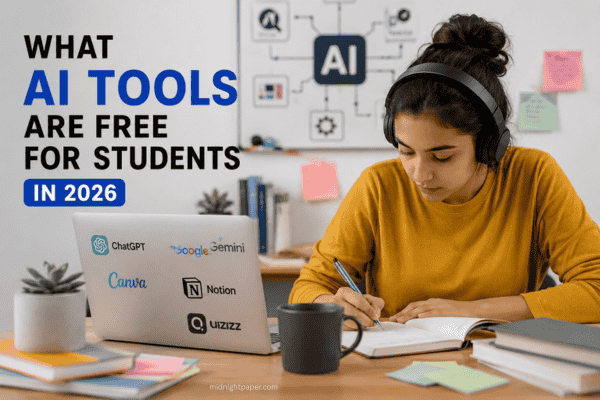
What AI tools are free for students? Today’s students can tap into a rich ecosystem of AI-driven tools without breaking the bank. In writing and research, tools like ChatGPT and Google’s Gemini (formerly Bard) provide free chat based assistants; in code and math, GitHub Copilot and WolframAlpha offer student friendly access; in creativity and note taking, platforms like Canva, Figma and RemNote have free education plans.
All of these tools offer at least a free tier or student plan, so learners can write essays, debug code, create presentations and study smarter at no cost. Below, we explore key categories of free AI tools for students, citing official sources for accuracy.
AI Chatbots and Writing Assistants
Chat based AI tutors and writing helpers are foundational. For example, OpenAI’s ChatGPT is entirely free to use. Its free plan not only supports unlimited daily text chats but also advanced features like file uploads, web search, and image creation. In practice, students can brainstorm ideas, get essay outlines or clarify concepts with ChatGPT at no charge (the only limit is about 10 messages per 5 hours before a brief pause).
Similarly, Google Gemini (the latest version of Bard) is free for anyone with a Google account (age 18+), giving students access to a powerful language model right inside Google Search, Docs or Slides. Google even offers Gemini Code Assist, a coding helper in Google Colab, free for individuals with up to 180,000 completions per month. With these chatbots, a student can get help drafting papers or solving problems without any subscription fee.
Coding Helpers and Research Tools

Students learning to code or do research have free AI helpers too. GitHub Copilot, an AI pair programmer, is free for verified students and teachers through the GitHub Student Developer Pack. This means a computer science student can get AI powered code suggestions in VS Code or GitHub directly at no cost. For research and factual queries, Perplexity AI offers a free answer engine with real time answers and citations (though not officially cited here, its home page advertises it as free).
WolframAlpha is a free tool for solving math and science problems. Students can enter equations and data on its main site and receive step-by-step solutions without any cost. There are also advanced Pro features available for a fee.
Figure: Google’s NotebookLM (Notebook Language Model) lets students upload notes and PDFs to create an AI study guide. The base version is free to use. In learning contexts, Google’s NotebookLM is particularly powerful: it turns your own lecture notes and PDFs into a smart tutor that answers questions only from your material. NotebookLM is offered on a no cost tier with usage limits, so students can build personalized study guides free of charge. In practice, a history student could upload a PDF of their textbook and ask the AI clarifying questions, knowing the answers are grounded in that exact content.
Other free AI coding aids include Google’s Gemini Code Assist (mentioned above) and tools like CodeT5 or Copilot Chat (Microsoft). Notably, Microsoft Copilot Chat is provided at no extra cost to students and educators with certain school Microsoft 365 accounts (A1/A3/A5 licenses). This means many university students using a school email can access Copilot Chat, an AI assistant powered by GPT-5 inside Microsoft Teams or a browser for free. Microsoft also recently gave U.S. college students a three month free trial of Microsoft 365 Personal (including Copilot in Word, Excel, etc.). In short, most major coding and productivity assistants have free entry points for students.
Writing, Design, and Presentation Tools

Many AI writing and creative apps have free versions. For example, Grammarly checks spelling, grammar, and style in real time and offers tone detection and conciseness suggestions for free, helping students improve their essays and emails. QuillBot also has a free option to paraphrase or summarize up to 125 words at a time, which is useful for rewriting sections.
Design and presentation tools also come with free student offers. Canva for Education is free for K–12 educators and their students. Canva Education unlocks premium templates and “Magic” AI tools (like Magic Write for text or Magic Studio for images) at no cost once you verify your school status. Likewise, Figma for Education gives students the full Figma design toolkit for free. Students can create graphics, slides or prototypes collaboratively, all included in Figma’s education plan.
Figure: Tools like Grammarly and Canva (shown) provide essential “cleanup” for student work. Both tools offer free tiers: Grammarly’s free plan covers basic writing edits, and Canva’s education offering is 100% free for students and teachers.
Together, these tools cover the final steps of assignments. A student might draft an essay with ChatGPT or Gemini, then run it through Grammarly’s free checker. If a presentation is needed, they can use Canva’s free templates or Figma’s design tools (free for verified students) to polish slides. The combined effect is professional output without spending anything.
Study and Note Taking Assistants
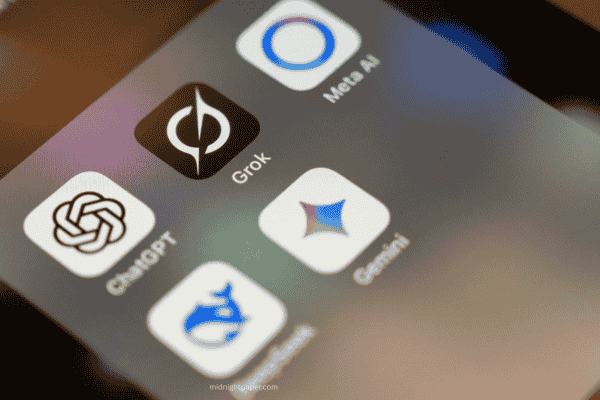
For absorbing and revising content, specialized AI study tools are emerging with free access. In addition to NotebookLM (above), apps like RemNote offer AI-driven flashcards and summaries. RemNote’s free plan lets students take unlimited notes and flashcards, and even provides 100 monthly AI “learning credits” to auto generate summaries or quizzes from notes. Medical and law students, for example, are using RemNote to manage heavy coursework (its pricing page shows the free tier and usage limits).
Other study helpers include Quizlet (which has added AI generated practice questions on its free tier) and tools like Otter.ai. The free Otter plan provides 300 transcription minutes per month (30 min per recording), letting students record lectures and get searchable transcripts and summaries. An engineering student, for instance, can record class audio, have it transcribed by Otter for free, and then study from those notes.
Even classic resources are getting AI upgrades: WolframAlpha’s free computational engine gives students step-by-step solutions (sometimes behind an ad wall), while AI search engines like Perplexity offer citation backed answers at no cost. Students can mix and match: use NotebookLM to understand readings, RemNote to quiz themselves on facts, and ChatGPT to discuss tricky concepts. The key point is that each of these tools has a zero dollar tier that covers everyday study needs.
Special Classroom and Collaboration Tools
Beyond personal study, some free AI tools enhance collaboration and classroom activities. FigJam (from Figma) is an online whiteboard free for education, useful for group brainstorming with sticky notes and real time collaboration. Instructors can use its AI stickers or flowcharts to engage students. Similarly, educational platforms are beginning to integrate AI. For instance, Notion for Education lets students organize tasks and notes (though its AI features are now mostly paid) and some universities license AI tutoring software campus wide at no cost to students.
Microsoft and Google have classroom AI too. The Microsoft Education site notes that “Copilot Chat” (AI chat) is available free for students via their school account. Google Workspace for Education has added AI writing suggestions in Docs and email. Even if a tool isn’t entirely free, many offer student discounts or free trials: as mentioned, Microsoft 365 Copilot in Office apps is free for 3 months for U.S. students and many colleges provide campus licenses for services like Grammarly Premium or Canva Pro at no charge. Students should always check with their institution’s IT or learning center, free upgrades are often available.
Getting the Most from Free AI Plans
While all these tools are free to start, they often have usage limits or optional paid upgrades. It’s wise for students to reserve paid subscriptions for later. OpenAI notes that ChatGPT’s free tier includes most core features, so you only need to pay when you outgrow its message limit. RemNote’s free plan lists limited AI “credits” per month, but normal note taking is unlimited. QuillBot’s free tier caps paraphrase length at 125 words, so long documents may need repeated inputs or a premium plan.
A smart strategy is to combine free tools based on their strengths. One expert advises using WolframAlpha for math checks, Perplexity for source backed research, Claude or ChatGPT for writing and brainstorming, NotebookLM to review lecture material, and finally Grammarly/Canva for polishing drafts. In practice, this means a student might ask Perplexity for references, feed lecture slides to NotebookLM, draft an essay with ChatGPT, check math with Wolfram, then clean up language in Grammarly. Because each component here has a free tier (ChatGPT, WolframAlpha, etc.), the entire workflow costs $0.
Using AI Tools Responsibly
Finally, free AI means open access but students should still use it responsibly. Free models can “hallucinate” or give incorrect answers, especially in math (hence the WolframAlpha safety net). Always double check AI provided facts against reliable sources. Many school writing centers caution students that using AI without attribution can risk plagiarism flags. The key is to use these assistants as tutors and tools, not shortcuts. Ask the chatbot to explain a concept or help outline your own work, rather than doing the writing for you. Used thoughtfully, these free AI tools can save time and deepen understanding, giving students a smarter study partner at zero cost.
In summary, a wealth of AI-powered resources is freely available to students in 2026. From chatbots like ChatGPT and Google Gemini to code assistants like GitHub Copilot to writing helpers (Grammarly, QuillBot) and design platforms (Canva, Figma). Each major tool offers a no cost tier or education plan, meaning students can confidently use AI to write, create and learn without spending money. By leveraging these tools smartly, every student can benefit from AI’s power while staying within free usage.